Starting a layout from scratch can be one of the most time consuming parts of the design process. Whether you are planning a full home layout, redesigning a specific room, or arranging a customized kitchen, the first draft often takes the most effort.
Coohom’s latest AI updates are designed to make that early stage faster and more intuitive.
With new AI tools for floor plan design and kitchen planning, users can generate layout options more efficiently, preview ideas in 3D, and continue refining designs with greater confidence. These updates help simplify the path from space planning to visualization, while giving users a smarter starting point for their projects.
Generate Floor Plan Layouts with AI Instant
Coohom has added new AI Instant tools to the floor plan design workflow, helping users create layout options for full spaces or selected rooms.
Users can choose between Full Layout and Specific Rooms, depending on the design task. For a full home layout, AI can help generate a complete layout solution. For room focused projects, users can select one or multiple rooms before generating a layout.
The tool also allows users to confirm or change supported room types, select a preferred style, and generate an AI design based on the selected settings.
Once the layout is generated, users can switch to a 3D view with one click, making it easier to preview the result in an immersive way. This helps users move faster from an empty plan to a workable design direction.
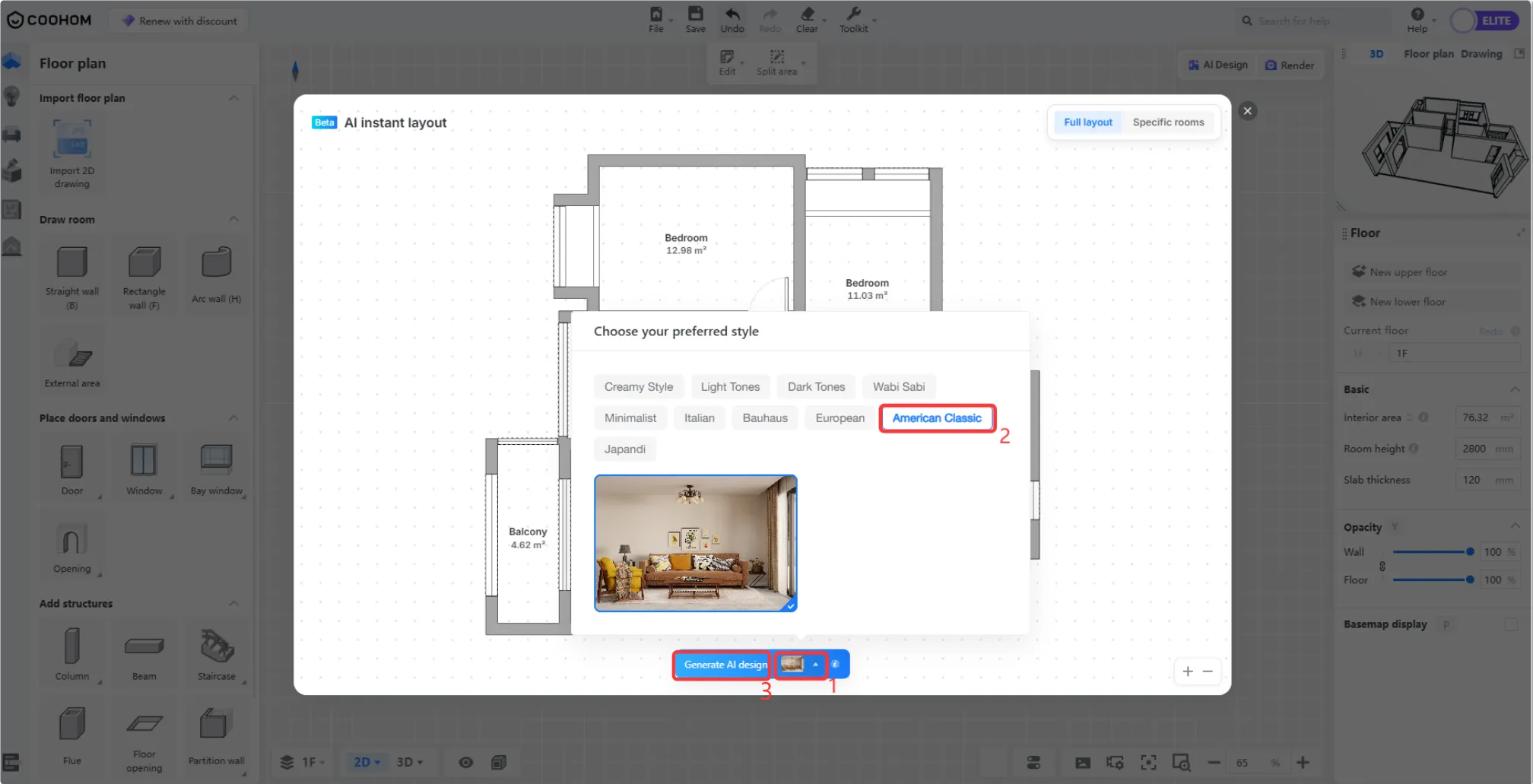
Choose the rooms and style you want, then let AI generate the layout.

Preview the AI generated layout in 3D and continue refining the space.
Create Kitchen Layouts Faster with AI Kitchen Layout
Coohom has also added an AI Kitchen Layout function for kitchen and closet design workflows.
This feature is built to support customized kitchen planning. Instead of placing every cabinet one by one, users can start by defining rough cabinet zones, placing key appliances, and generating a professional kitchen layout plan with AI assistance.
After the AI layout is generated, users can continue into the rendering page, choose a lighting template, and turn the generated kitchen layout into a rendered visual for easier review and refinement. For users who want a more complete visual effect, AI Enhancement can also be applied in the rendering workflow to enrich kitchen visuals with decorative details.
If further adjustments are needed, users can return to the tool page, update the design, and sync the project with the rendering window. This keeps the layout and visualization process connected, making it easier to refine the kitchen design from planning to presentation.

Start with drawing cabinet zones and placing key appliances to guide AI layout generation.
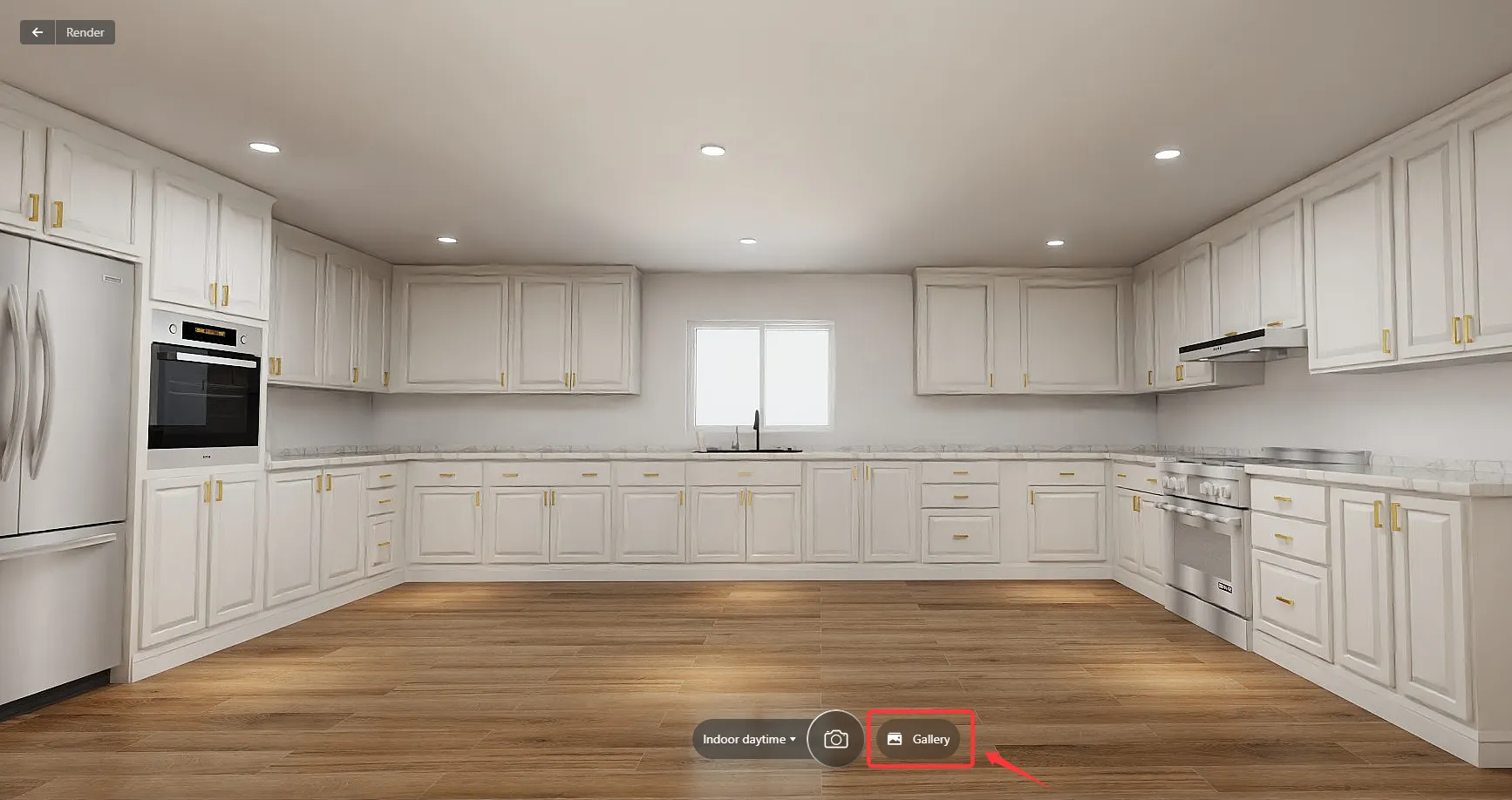
Turn the generated kitchen layout into a rendered visual to see the design come to life.
Enterprise Catalog Custom Fields
For enterprise users, Coohom has added a new link type for customized product fields in the Enterprise Catalog.
Enterprise users can configure personalized product information fields based on their business needs. The field fill type now supports both Text and Link. When Link is selected, the configured link can be displayed and clicked on the front end tool page.
This makes product information management more flexible, especially for enterprise teams that need to connect product assets with additional resources, documentation, or business specific information.
This feature is currently supported for selected product categories in the Enterprise Catalog, including Furniture, Textures, Paving, and Molding / Wall Panels.

After setup, the customized field displays as a clickable link on the front end tool page.
With these updates, Coohom continues to make design workflows faster, smarter, and easier to visualize, from floor plan planning to customized kitchen design. Explore the latest AI tools in Coohom and stay tuned for more product updates.